Home Dashboard Overview
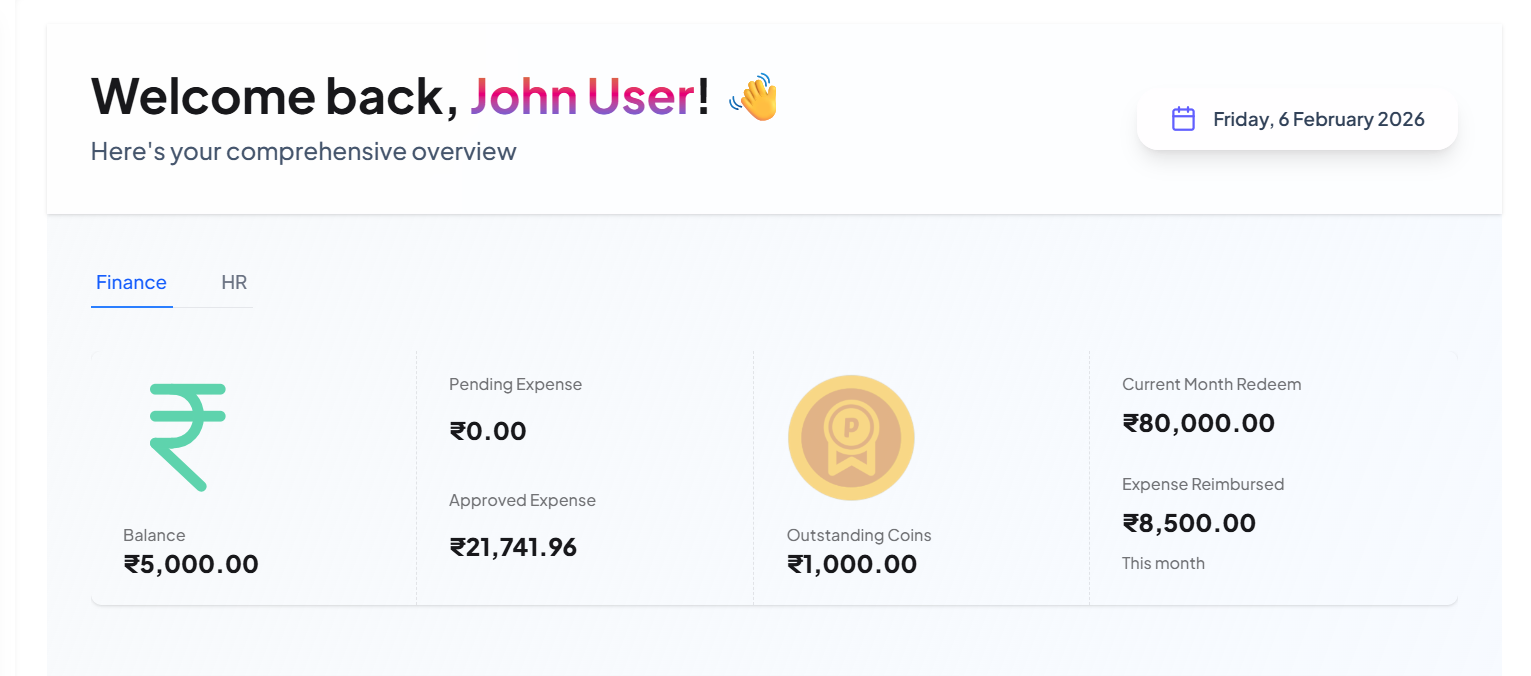
The main view is divided into a Finance tab and an HR tab, with the Finance tab currently selected.
Financial Status Summary
-
This section provides an immediate snapshot of the user's financial metrics.
-
Approved / Reimbursed Expenses.
-
Pending Expenses.
-
Rejected Expenses.
-
Coins.
a. Outstanding Coins
b. Redeemed Coins
Activity and Status
-
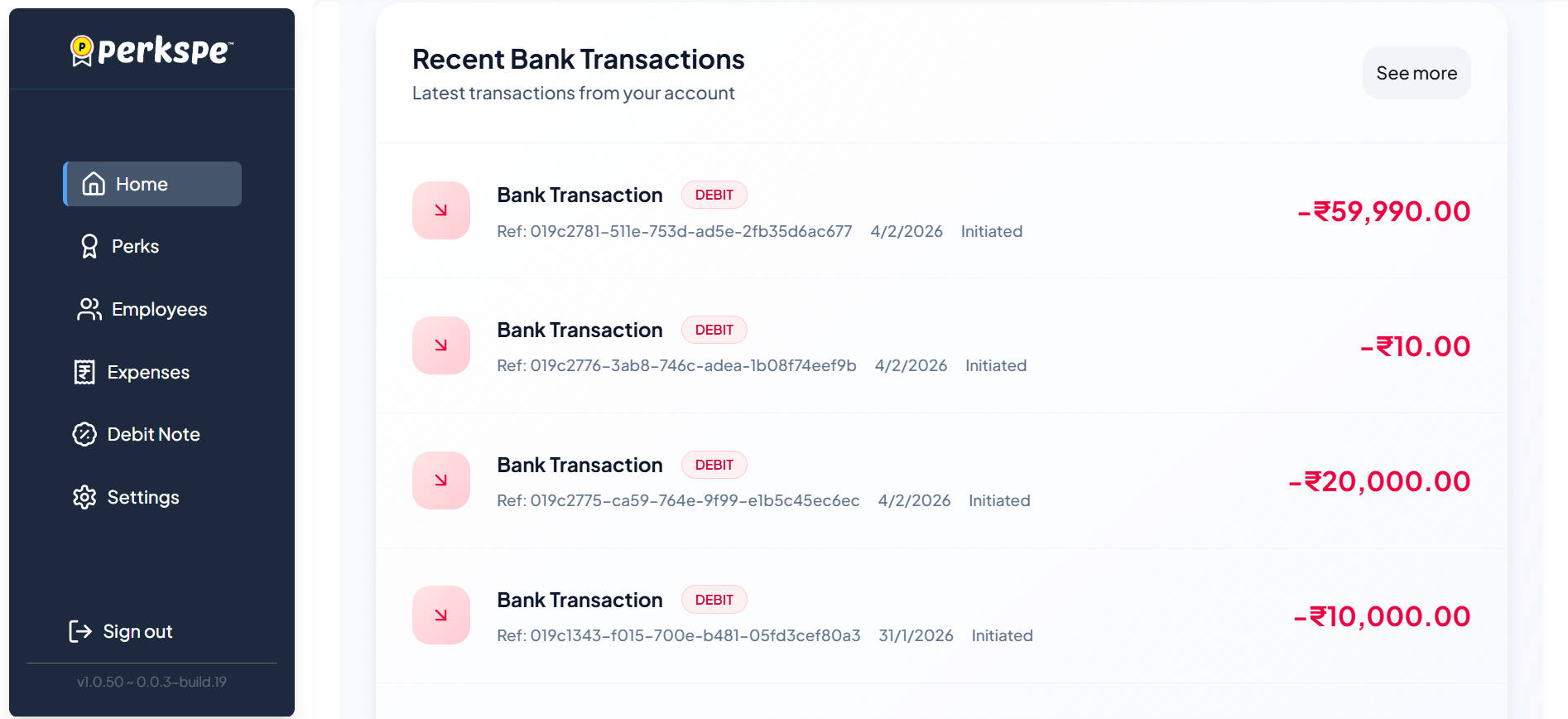
This section details recent expense activity and the current state of pending approvals.
-
Recent Bank Transactions
a. This card tracks recent deposits and withdrawals:
Expenses by category & Status Overview
-
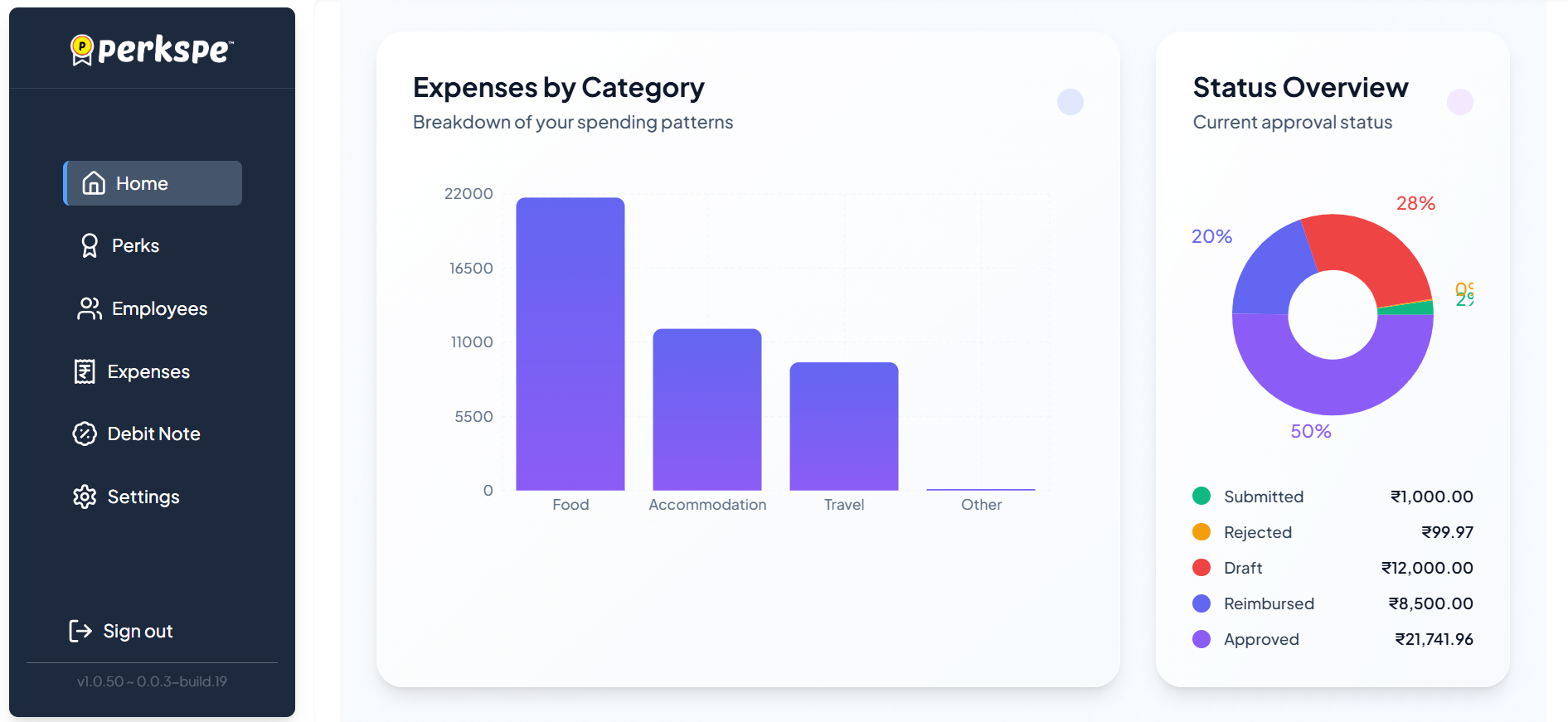
A donut chart provides a breakdown of all submissions by status.
-
A bar chart provides a breakdown of spending patterns by category.
Recent Expenses
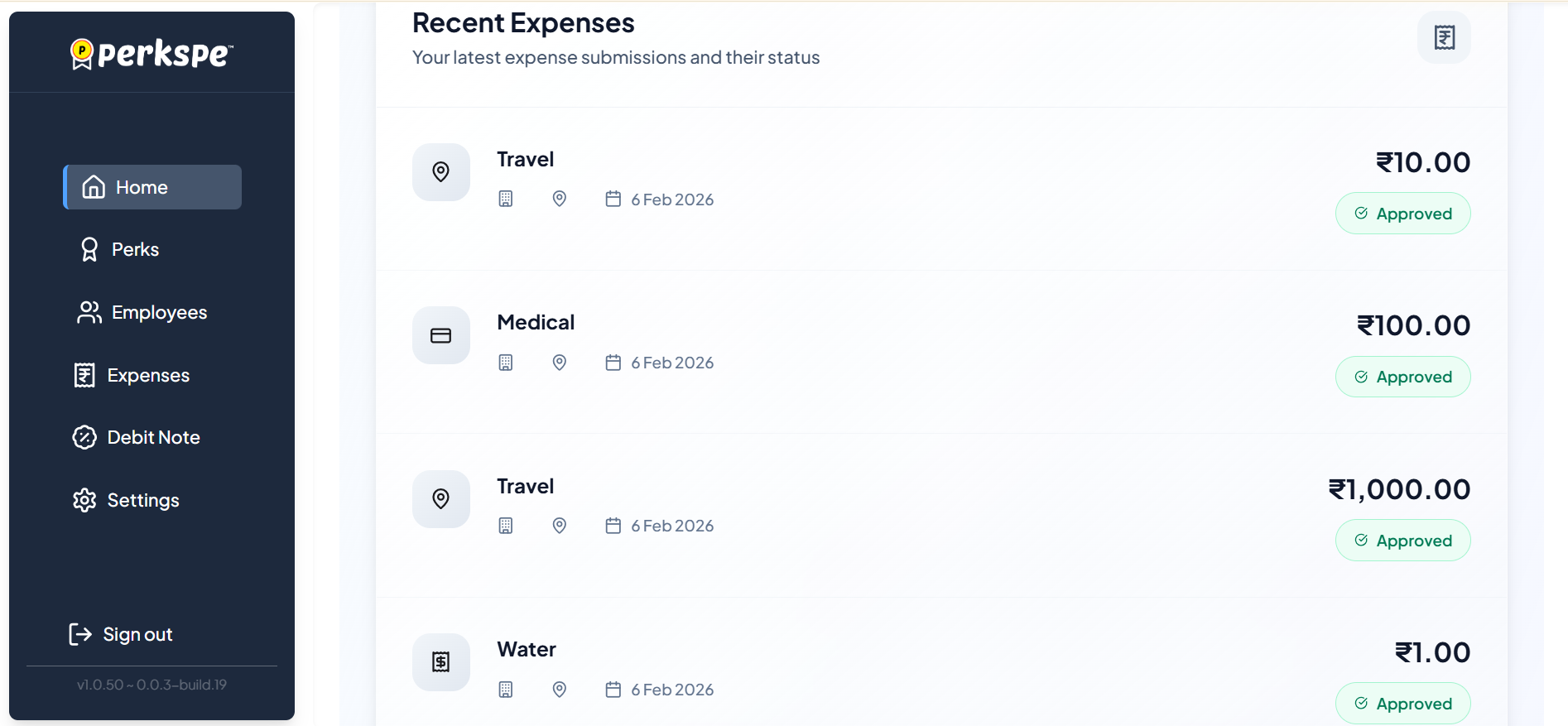
- This section lists the latest expense submissions and their current statuses
HR Tab
The HR tab focuses on employee engagement and coin utilization across the organization.
Redeem Coins Monthly LeaderBoard
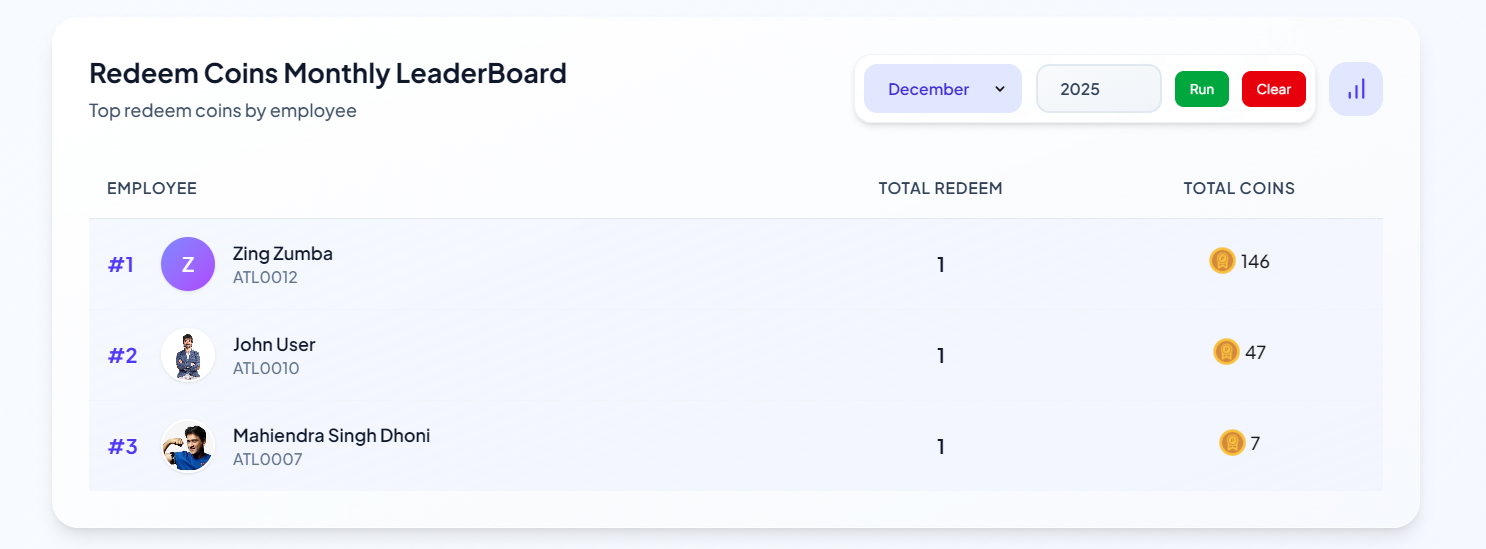
- This section displays a ranking of employees based on their coin redemption activity for a specific month.
- Filters: Users can filter the leaderboard by Month and Year and click Run to update the results or Clear to reset the filters.
- Insights: A chart icon is available to view a graphical representation of the data.
LeaderBoard Columns:
| Column | Description |
|---|---|
| EMPLOYEE | Name and ID of the employee (e.g., Zing Zumba ATL0012) |
| TOTAL REDEEM | The number of times coins were redeemed in the selected period |
| TOTAL COINS | The total value of PEP Coins redeemed by the employee |
This detailed explanation covers the full scope of the Perkspe Home Dashboard, including both Financial insights and HR metrics, providing a comprehensive overview of the organization's health.